
The best playlist covers look like the music inside them, and the easiest way to get there is to take the colors from the songs themselves. Below are ten aesthetic playlist covers sorted by mood. We made each one from a real five-color palette, and six of those palettes come straight from well-known album covers. After that, we show how to make your own Spotify playlist cover from your playlist's artwork, what size to export and how to change the cover in the app.
Playlist cover ideas by mood
We pulled the first six palettes from album covers with the free online color picker on colorspicker.net. The last four genres didn't have one obvious album to borrow from, so those palettes are our own. Copy the HEX codes as they are, or use them as a starting point.

Chill playlist cover
Palette from Bonobo · Black Sands
Misty teals running into an almost-black green. We kept the contrast low on purpose and used a thin lowercase title, which suits lo-fi, ambient and late-night study mixes.

Summer playlist cover
Palette from Miley Cyrus · Endless Summer Vacation
A clear-sky blue gradient, a warm sun and a heavy rounded title. The thin brown strip at the bottom comes from the same album palette and keeps all that blue from feeling cold.

Workout playlist cover
Palette from Dua Lipa · Future Nostalgia
Near-black background, three diagonal bands and a condensed all-caps title, because diagonals read as movement. Many workout mixes sit somewhere around 120 to 140 BPM, and the BPM Detector will tell you where a track falls.

Sad playlist cover
Palette from Billie Eilish · When We All Fall Asleep, Where Do We Go?
Hardly any color: warm greys, some grain and a quiet italic title. Taking the saturation out is the quickest way to make a cover feel heavy.
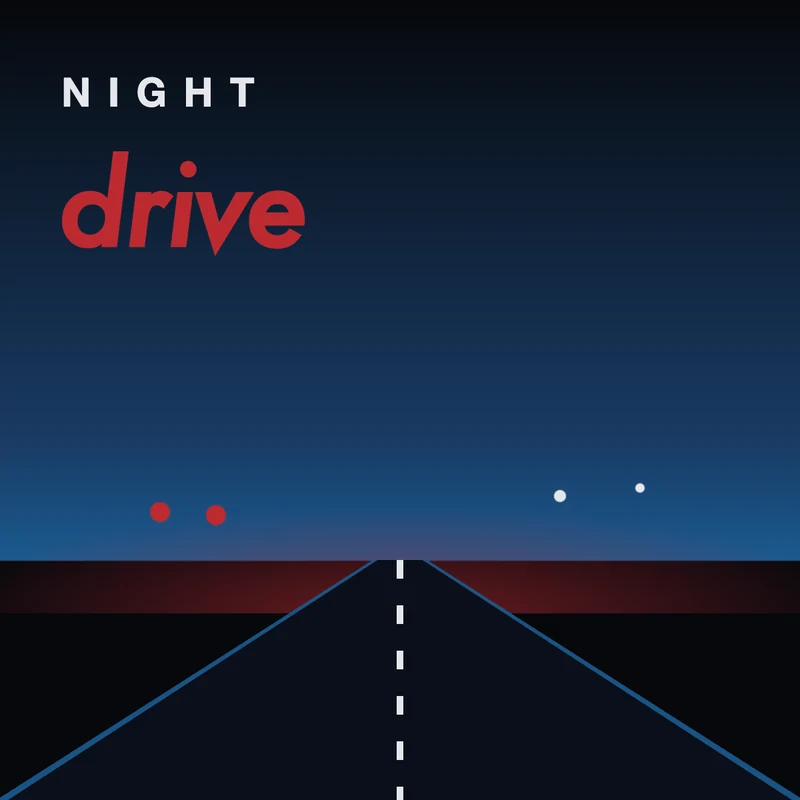
Night drive playlist cover
Palette from Kavinsky · Nightcall
Deep navy, a road disappearing into the horizon and one hot red for the title and the tail lights. Synthwave in five colors, straight from the Nightcall single art.

Sunday morning playlist cover
Palette from Harry Styles · Harry's House
Cream, coffee brown and one soft blue. Big simple shapes and a serif title make it feel slow, which fits acoustic and indie-folk playlists.

Country playlist cover
Original palette
Denim blue type over a wheat and rust sunset field. The slab-serif title borrows the feel of old gig posters without copying any of them.

Rap playlist cover
Original palette
Black, gold and one deep red bar. The title is heavy enough that the rest of the cover can stay almost empty.

Rock playlist cover
Original palette
Black, off-white and a crimson slash, nothing else. When the title is this loud, the palette can afford to be simple.

Christmas playlist cover
Original palette
Forest green, cranberry and gold instead of bright red and green. The darker versions feel cozier and don't look dated next year.
How to make a playlist cover that matches your music
Pinterest has thousands of cool playlist covers, but one made from your own playlist will fit it better than any of them. It takes about ten minutes and no design experience.
1. Pick the songs that define the playlist
Choose two or three tracks that carry the mood: the opener, the song you built the playlist around, the one people skip ahead to. If one of them is something you only heard in a video or on a stream, name it first with Music Identifier, a free song finder extension for Chrome that identifies music playing in any browser tab. For clips from TikTok or Reels, our guide to finding a song from a short video has a few extra tricks.
2. Pull one palette from all of their covers
Save the official album art for those tracks and put the covers next to each other in one image. A plain side-by-side collage is enough. Upload it to colorspicker.net and it builds a color palette from the image automatically, using all three covers at once.
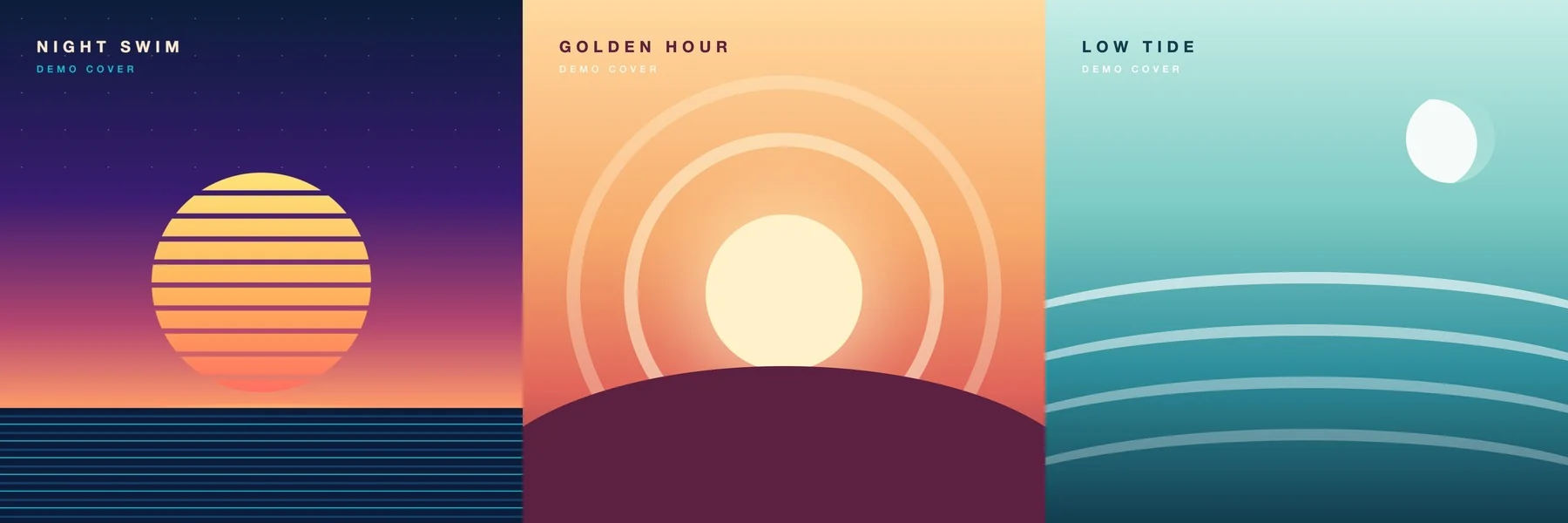
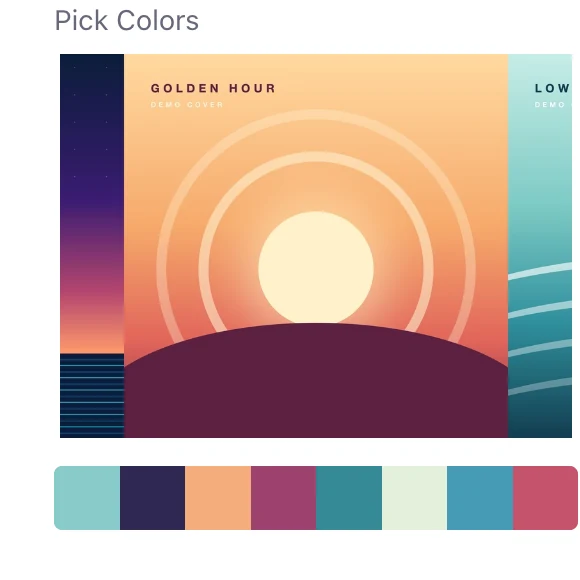
When we tried this with the three demo covers above, the row came back with colors from all of them: a dark navy and a plum, a peach and a rose, and a couple of teals. The preview only shows a cropped part of a wide collage, but that didn't stop colors from the side covers from coming through.
Keep five: a dark, a light, two mid-tones and one accent. For sampling exact pixels by hand, see our guide to getting a color palette from an album cover.
3. Turn the palette into a gradient
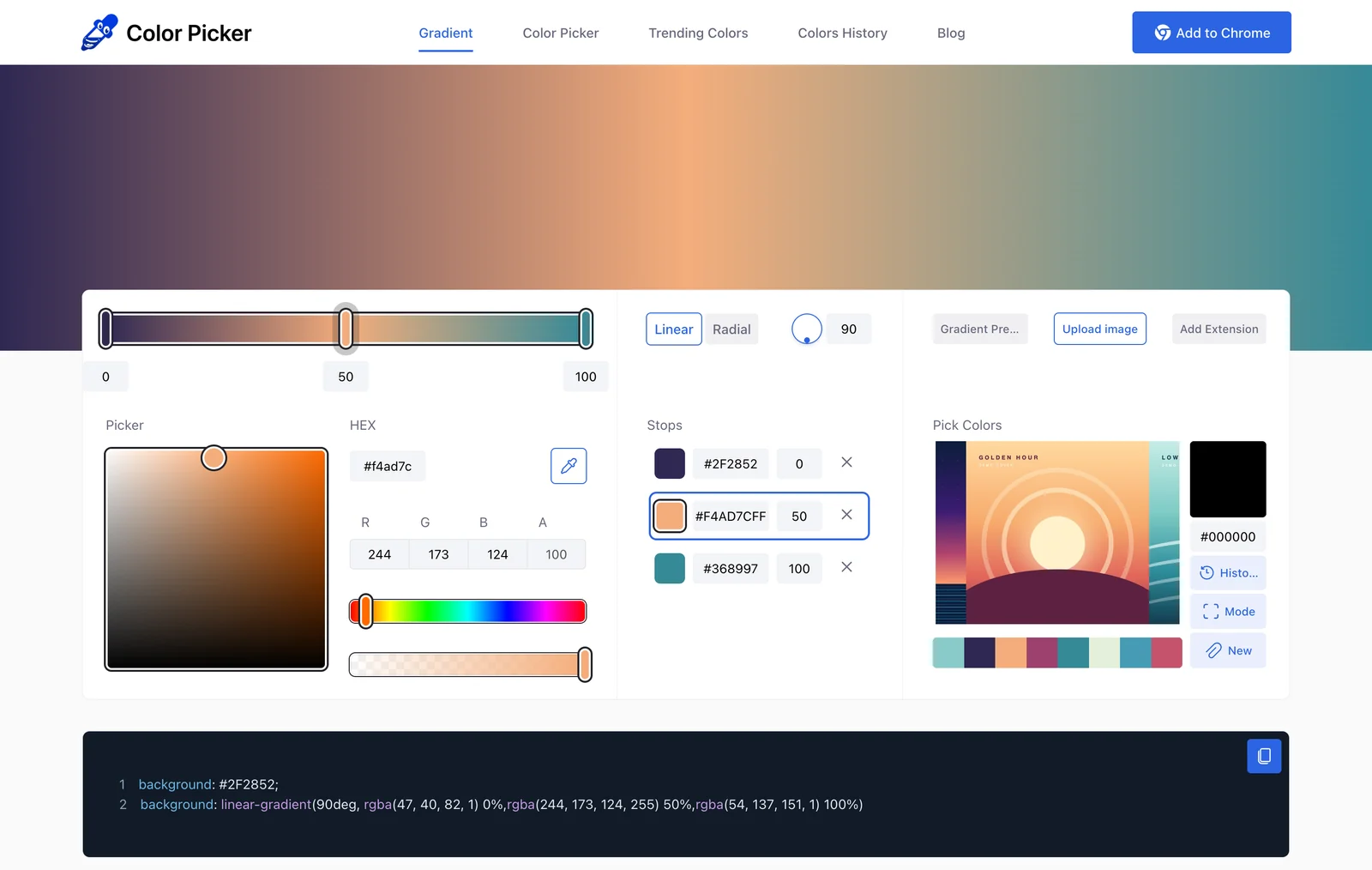
Gradients make easy backgrounds and still look fine at thumbnail size. In the free gradient maker on colorspicker.net, select a stop, click a color in your palette row and repeat for the other stops. One color per cover works well. Copy the CSS if your design tool accepts it; otherwise, just write down the HEX codes.
4. Add a short title and keep it readable
- Keep it to one to three words. Covers often show up about the size of a fingertip. "after hours" survives that; a full sentence doesn't.
- Set the text in your darkest or lightest color and check the contrast. Aim for 4.5:1 or more.
- Leave out fine detail. Thin lines and small shapes turn to mush when the cover is small. Big shapes and big type hold up.
- Test it small. Shrink the design to the size of an app icon. If you can still read the title, it works.
5. Export a square image
Save it as a square JPEG at the size from the next section. This is the cover we ended up with from the three-cover palette:

You can lay it out in any editor that takes HEX codes, such as Canva, Figma or Photoshop, or use Spotify's built-in cover editor described below.
Spotify playlist cover size and format
Spotify doesn't publish a required size for covers uploaded in the app. Covers are always shown as squares, though, anywhere from a tiny thumbnail in your library to almost the full width of a phone screen. In practice:
- Make it square. Anything else gets cropped.
- Use at least 640 × 640 pixels. Something between 1000 and 1500 pixels looks sharp everywhere and keeps the file small.
- Save it as a JPEG. Every app and upload tool accepts it.
You'll see 300 × 300 recommended in a lot of guides, and it's the size in Spotify's own API examples, but that's thumbnail territory and looks soft on modern phones. If you use a third-party playlist cover maker that uploads through Spotify's Web API, the file has to be a JPEG of 256 KB or less.
How to change your Spotify playlist picture
You can only change the cover of playlists you created. On mobile, Spotify lets you either design a cover in the app or upload your own.
On iPhone or Android
- Go to Your Library and open the playlist.
- Tap Edit.
- To upload your own design, tap Change cover image, choose the image and tap Save.
- To design one in the app, tap Change playlist cover, then Create cover art. The editor lets you add text and images, change background colors and add stickers, so pick the background colors closest to your palette. Tap Save when you're happy with it.
On desktop and the web player
- Go to Your Library and open a playlist you made.
- Click the playlist image.
- Choose your photo and click Save.
Apple Music playlist covers
Apple Music works much the same way: open a playlist you made, choose Edit and tap or click the artwork to pick your own image. The same square JPEG works there as well, so one design can cover both services.
What you can and can't put on a playlist cover
Spotify removes cover images that break its rules. For playlist art, three of them matter most: nothing that infringes copyright, no trademarks such as logos or brand names, and no photos of people who haven't agreed to it. That's another good reason to work from palettes. Nobody owns a color, so a cover built from an album's colors is yours, while the album art itself isn't.
Common questions
What size should a Spotify playlist cover be?
Square, at least 640 × 640 pixels, saved as a JPEG. Spotify doesn't publish an official size for uploads in the app, so 1000 to 1500 pixels is a safe, sharp choice. Uploads through Spotify's API must be JPEGs under 256 KB.
How do I make an aesthetic playlist cover?
Take the album art of two or three songs that define the playlist, pull a five-color palette from them, turn two or three of those colors into a gradient and add a one- to three-word title in the darkest or lightest color.
Can I use an album cover as my playlist cover?
We wouldn't. Album artwork is copyrighted, and Spotify's guidelines don't allow images that infringe copyright. Use the album's colors instead: palettes aren't protected, and the result is your own.
Why can't I change my playlist cover on Spotify?
You can only change covers on playlists you created. Spotify also removes images that break its content rules, so if an upload disappears, check that it doesn't use copyrighted art, logos or someone's photo without permission.
How do I match a playlist cover to the music's mood?
Fast, upbeat songs usually suit lighter, warmer, more saturated colors, while slow and sad songs suit darker, greyer, cooler ones. If you're not sure how a playlist comes across, the Mood Detector gives a quick read on a track's energy and mood, and the Playlist Analyzer shows tempo, key and loudness across the whole playlist.
Build the playlist, then give it a cover that sounds like it.
Bottom line
A playlist cover looks right when its colors come from the music. Pick the songs that define the playlist, pull one palette from their artwork, build a gradient, add a short title and export a square JPEG. The ten covers above are there to borrow from, but a cover made from your own playlist will always fit it better. If you want a copy of the track list as well, you can export a Spotify playlist as a PDF or image in a few clicks.