
You hear a track in a Reel or on a stream, you like it, and you want two things: its name, and the look that goes with it. This guide covers both. First you identify this song, then you take its official artwork and run it through a free image color picker to pull a color palette from the image, with real HEX codes and a CSS gradient at the end. We tested every step below on real album covers, and the whole thing takes about five minutes.
Why album art is the fastest way to a song's palette
A cover is rarely an accident. Someone chose those colors to sit next to that music, usually after a lot of back and forth with the artist: cold blues for a breakup ballad, neon for synth-pop, one flat red for an album about heartbreak. When you sample a cover, you reuse decisions that were already made with the song in mind. That's a much better starting point than a random palette site.
We mostly use song palettes for four things:
- Playlist covers that look like what's inside.
- Thumbnails and Reels covers for videos built around a track.
- Posters, merch and stream overlays for DJ sets and listening parties.
- Mood boards for a brand or a room that should "feel like this song."
Step 1: Identify this song
You need the exact release before you can find the right cover, so start with the name.
Music playing in a browser tab (TikTok, YouTube, Reels, Twitch)
On a computer, the easiest option is the free Music Identifier Chrome extension. It listens to the audio of the tab you're on, so there's no holding a phone up to your laptop speakers. Click the icon while the song plays and you get the title and artist, with links to the lyrics, the music video and your past results.
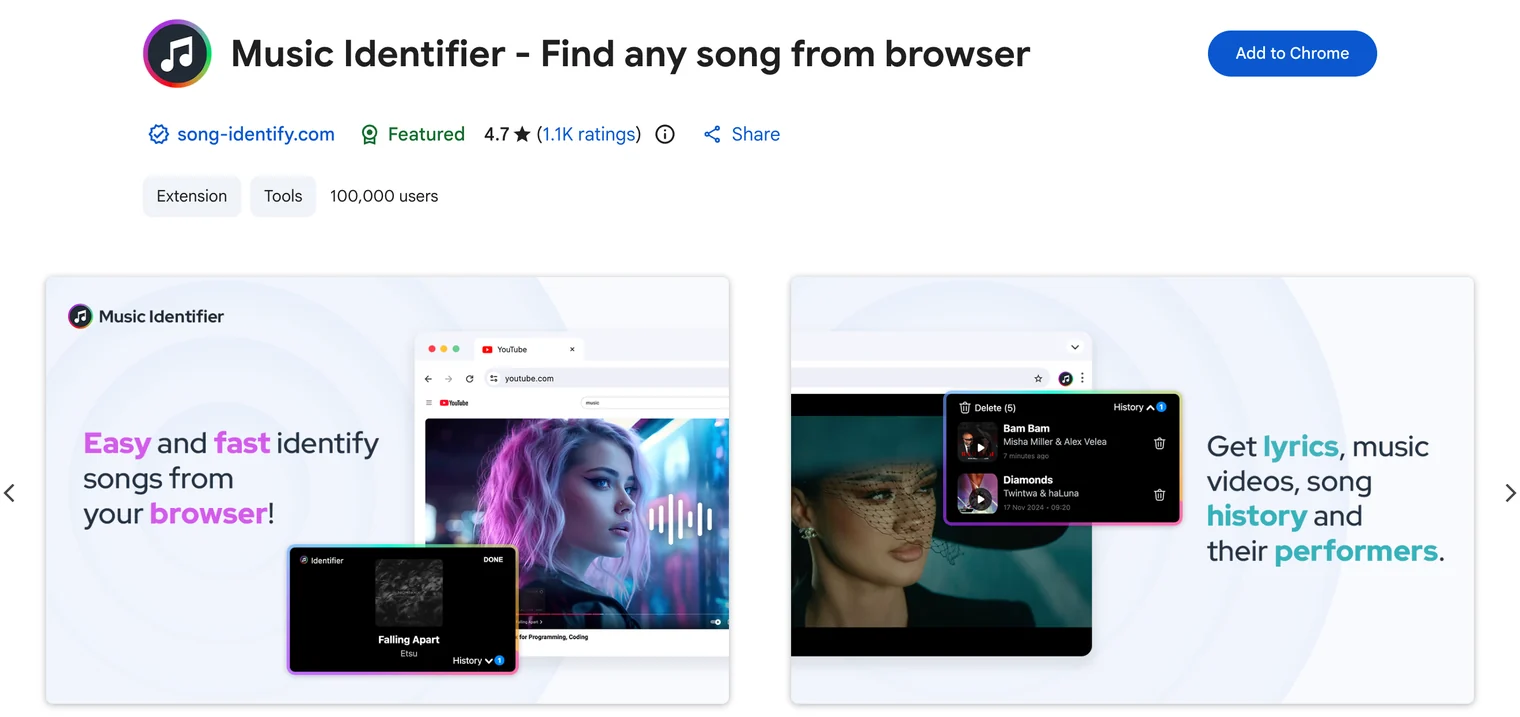
Music playing on your phone or around you
Away from the computer, your phone already has what you need: Shazam (it's also in the iPhone Control Center), the "Search a song" button in the Google app, or Circle to Search on newer Android phones. A few seconds of clear audio is usually enough to answer "what's the name of this song?"
Sped-up edits, slowed versions and voiceovers are where recognition tends to fail. Our guide on finding a song from a TikTok, Reel, or Short shows how to clean up a clip like that, and how song identification works explains why those edits confuse it in the first place.
Step 2: Grab the official album art in full resolution
Once you have the title and artist, look for the official album art, not the first thumbnail an image search shows you. Three things to watch:
- Use the release page. The artist's site, the label, Bandcamp or the release page in your streaming app all show the artwork as it was published. Grab the biggest version you can.
- Make sure it's the right release. Singles, deluxe editions, remixes and "sped up" uploads often have their own covers. If what you identified was a remix, the remix cover is the one you want.
- Skip screenshots of videos. Re-uploads get compressed, cropped and sometimes tinted, and each of those steps shifts the colors.
A clean, large file means you sample the colors the designer actually picked, not JPEG noise.
Step 3: Pull a color palette from the image
Open the free color picker from image on colorspicker.net. There's no sign-up and nothing to install.
Upload the cover and get the palette automatically
Click Upload image or drag the file onto the page. The cover shows up under Pick Colors, and a row of eight dominant colors appears right below it without any extra clicks.
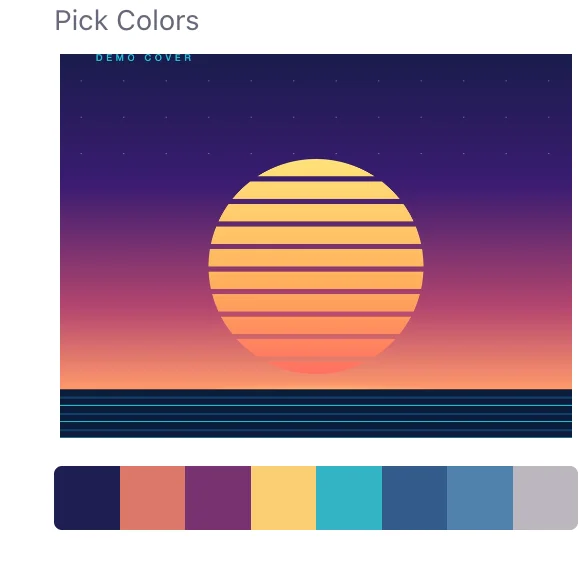
How useful that row is depends on the cover. For Kavinsky's "Nightcall" single it caught the important colors on the first try: the navy, the near-black and the red. Lewis Capaldi's red album cover went the other way. Seven of the eight swatches were shades of red, which is accurate but leaves you very little to choose from. That's where the eyedropper comes in.
Refine it with the eyedropper
The automatic row is good at large areas and bad at small details, like the color of a logo or a jacket. Click directly on the cover to sample a single pixel and get its HEX code. Pick from flat areas rather than edges, where colors blend and compression adds noise, and try two or three spots before you settle on one.
If the color you want is on your screen rather than in a file, Chrome and Edge on desktop show an Eye Dropper button that samples any pixel on the display, including a paused video frame.
Keep five colors
Eight swatches is a starting point. Palettes that work in practice usually come down to five roles: a dominant color, a dark for text and backgrounds, a light for contrast, an accent and a neutral. These are the five we kept from three covers after running them through colorspicker.net:
÷ is basically one blue at five lightness levels. The Capaldi cover gives you a near-monochrome red, so the "accent" is simply the brightest red, plus a rusty brown we kept as the neutral. Nightcall is the classic setup of a calm dark base with one loud color on top. From its row we dropped a muddy grey-green (#3c443c) that didn't add anything.
Copy the codes and explore each color
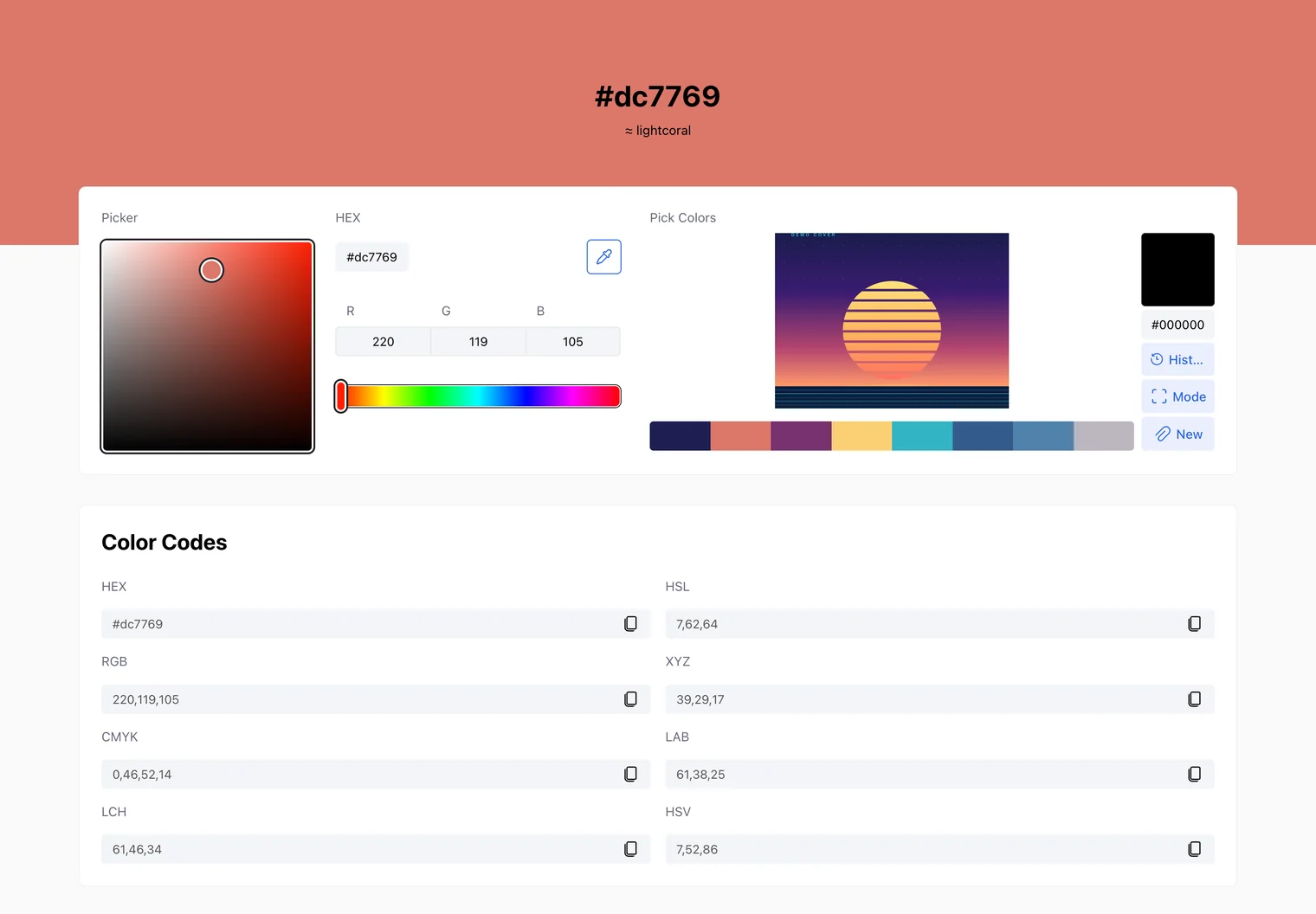
Every pick shows HEX and RGB values with a copy button. For more detail, open the color in the hex color picker. With #bc2a31, the Nightcall red, you get the code in HEX, RGB, HSL, HSV, CMYK, LAB, LCH and XYZ, plus shades, tints and ready-made harmonies.
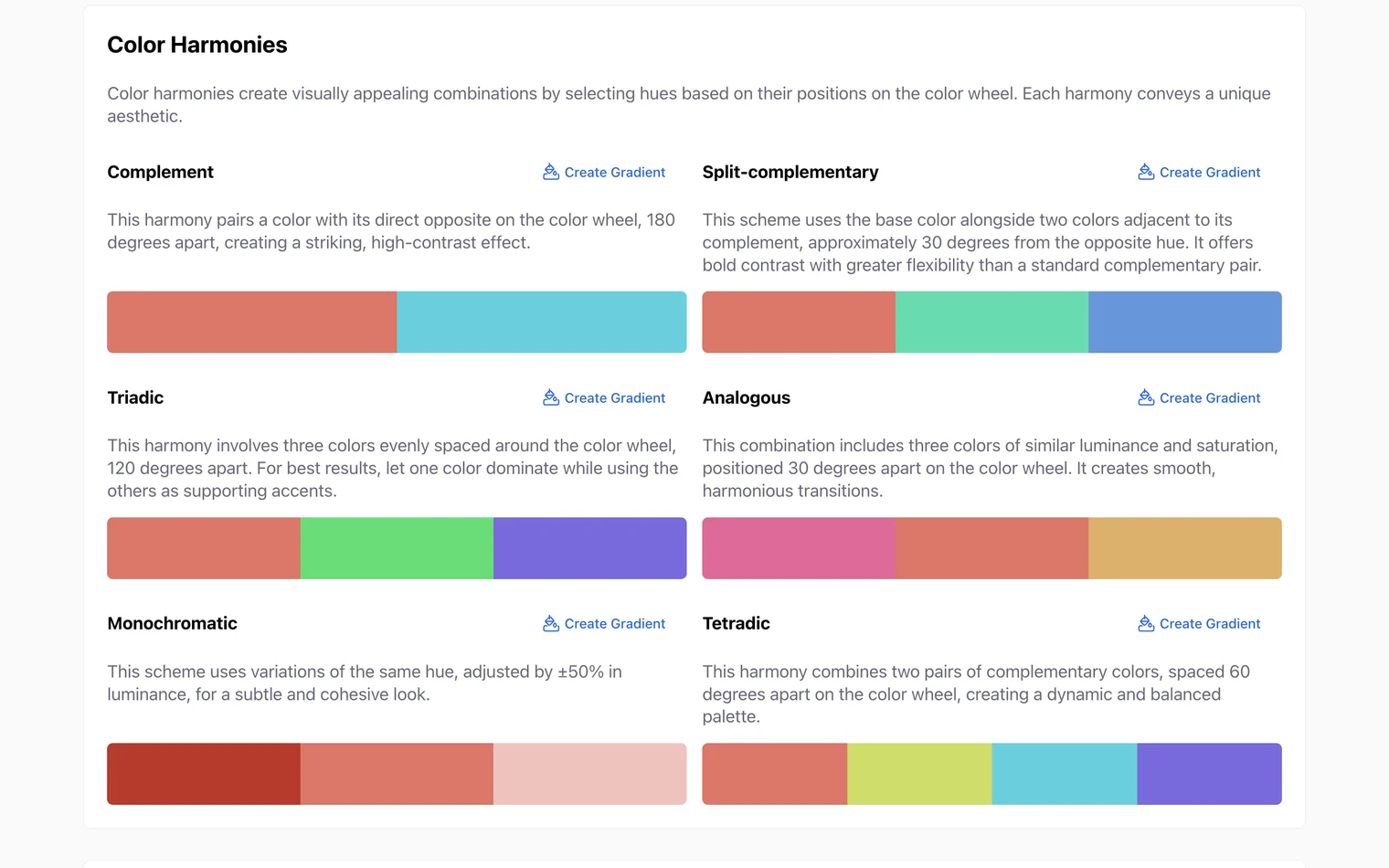
The Color Harmonies block helps when a cover gives you too little to work with, like the Capaldi one. Complementary, triadic, analogous and other schemes build a full palette out of one sampled color, and each has a Create Gradient button.
Step 4: Turn the palette into a gradient and CSS
A gradient is the quickest way to make a palette feel like the record. The gradient maker sits above the picker on the colorspicker.net home page:
- Choose Linear or Radial and set the angle.
- Select a stop under Stops, then click a swatch in the palette row. The stop takes that color.
- Click the gradient bar to add more stops and drag them around until the blend looks right.
- Hit the copy button on the code block.
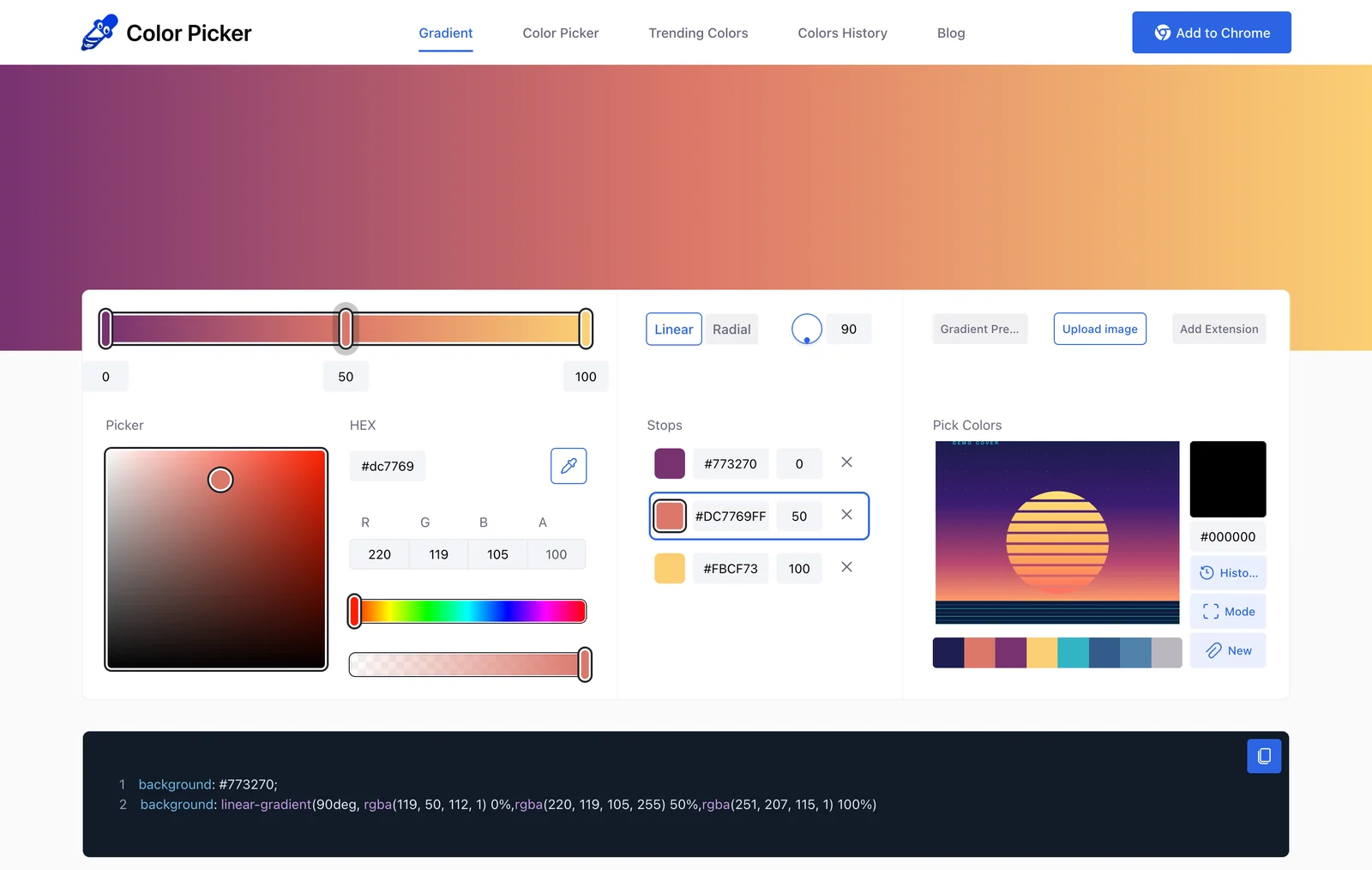
What you copy is plain CSS that works on a website, a link-in-bio page or any design tool that accepts CSS:
background: linear-gradient(90deg, #773270 0%, #dc7769 50%, #fbcf73 100%);If you plan to put text on top, check the contrast. Body text needs a ratio of at least 4.5:1 against its background, which is the whole reason a palette needs a proper dark and a proper light.
What to make with your song's palette
Aesthetic playlist covers
A playlist cover made from the colors of its main track looks like it belongs to the music. Use the gradient as the background and set the title in your lightest or darkest color. For a mixed playlist, take one color from each of three or four key tracks. The Playlist Analyzer helps here too: it shows tempo, key and loudness across the playlist, so you can check it's as coherent as the cover suggests. For ten worked examples and Spotify's size rules, see our guide to aesthetic playlist covers.
Video thumbnails and Reels covers
If a video is built around a song, a thumbnail in the artwork's colors ties the two together, even for viewers who never notice why. Save the accent for the one thing you want people to look at first.
Posters, merch and stream overlays
Listening parties, club nights and streams look more put-together when every asset uses the same five colors. Keep the roles consistent (the same dark for text, the same accent for highlights) and the whole set reads as designed.
One note on rights. Colors themselves can't be owned, so a design built from a palette is yours. The artwork is protected, though, so use the colors and leave the cover image, photos and logos alone.
What is an eyedropper tool (and where to find one)?
An eyedropper tool samples the exact color of one pixel and gives you its code, usually in HEX and RGB. It's the quickest answer to "what color is that?", and you probably have one already:
- In the browser: the Eye Dropper button on colorspicker.net (Chrome and Edge on desktop), or its free color picker Chrome extension and eyedropper add-on for Edge for picking colors on any website. Firefox also has an Eyedropper in its browser tools.
- In design apps: Photoshop and Illustrator (press I), and PowerPoint under Shape Fill › Eyedropper.
- In your operating system: Color Picker in Microsoft PowerToys on Windows (Win + Shift + C) and Digital Color Meter in the Utilities folder on macOS.
Does a song have a color? Chromesthesia and mood
What is chromesthesia?
Chromesthesia is a kind of synesthesia in which sounds trigger colors. For people who have it, a note, an instrument or a voice reliably "looks" blue, amber or green. Researchers estimate that a few percent of people have some form of synesthesia, and seeing colors with music is one of the more common types. The colors stay consistent for one person over years but differ from person to person, so there's no single "true" color for a song.
Matching colors to a song's mood
You don't need synesthesia to feel that some songs are warm and others are cold. A well-known 2013 study in PNAS found that people tend to match fast, major-key music with lighter, more saturated, yellower colors, and slow, minor-key music with darker, greyer, bluer ones. The link seems to run through emotion: happy-sounding music gets happy-looking colors.
Treat that as a rule of thumb, not a law. Run a track through the Mood Detector to see whether it reads as energetic, calm, melancholic or tense, and check its key and tempo with the Key Detector and BPM Detector. When the mood and the cover disagree, say a sad song with a bright cover, that tension is often the most interesting thing to design around.
Common questions
What's the name of this song I keep hearing?
If it's playing in your browser, a song identifier extension like Music Identifier can name it from the tab's audio. On a phone, try Shazam or the "Search a song" button in the Google app. If all you have is a melody stuck in your head, our guide to the best ways to identify a song covers humming search too.
How do I get a hex code from an image?
Upload the image to a color picker that accepts images, such as colorspicker.net, and click the spot you want. You get that pixel's HEX code, and the tool also pulls out the image's main colors on its own.
What is a hex code?
A hex code is a six-character way to write a color, like #dc7769. The three pairs are the red, green and blue values in hexadecimal, from 00 (none) to ff (full). Websites, CSS and design apps all understand them.
What color is this hex code?
Paste it into a color picker and you'll see it right away. On colorspicker.net every color also has its own page (#dc7769, for example) with the nearest color name, other formats, shades and matching colors.
How do I make an aesthetic playlist cover?
Pick the song that best represents the playlist, pull five colors from its album art, turn two or three of them into a gradient and put the title on top in the lightest or darkest color. Make it square, since streaming apps crop everything else. Our guide to Spotify playlist covers has ten examples and the exact steps.
Can I use the colors from an album cover in my own design?
Yes. A palette isn't the artwork, and colors on their own aren't protected. What you shouldn't do is reuse the cover image, its photos, typography or logos without permission.
Heard something good? Name the track, then make something that looks like it.
Bottom line
Most songs already come with a palette, chosen by people who spent more time with the music than anyone else. Find the track's name, get the official artwork, pull its colors, keep five and turn them into a gradient. You end up with a set of HEX codes and a CSS gradient for a playlist cover, a thumbnail or a poster that actually looks like the song.